how to disable youtube shorts (without uninstalling youtube)
if you’re spending too much time scrolling through youtube shorts and want to reduce the distraction, youtube has a built-in setting that can help (this is indirect way)
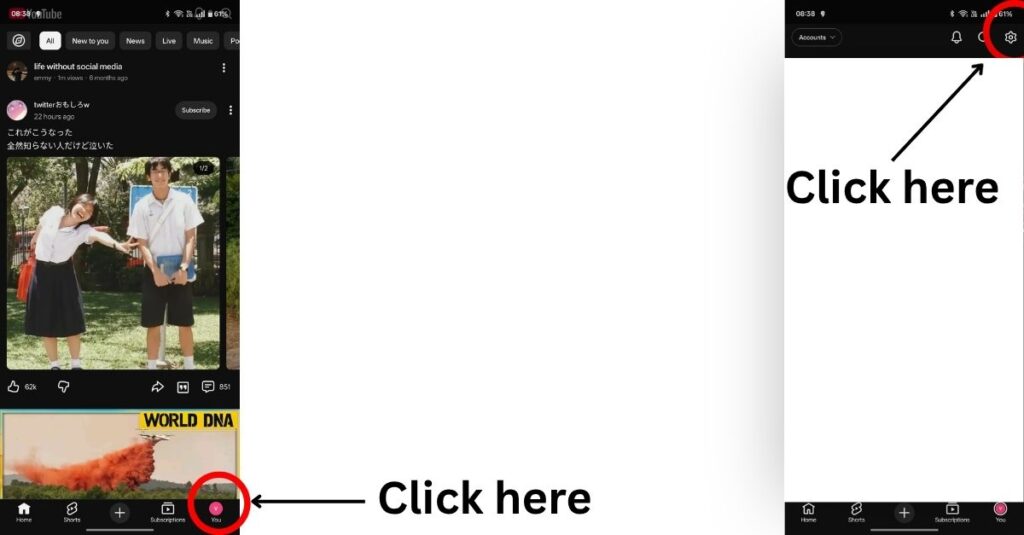
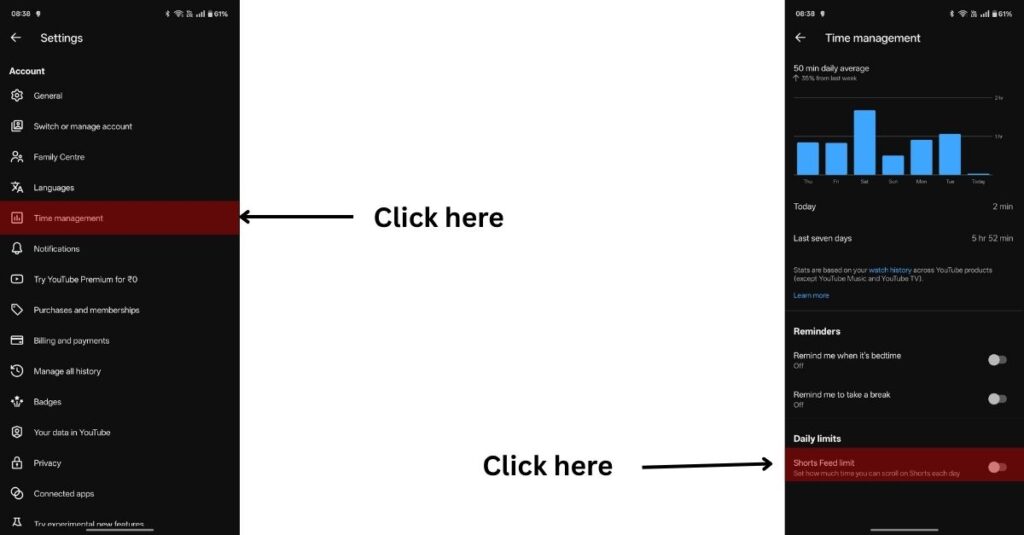
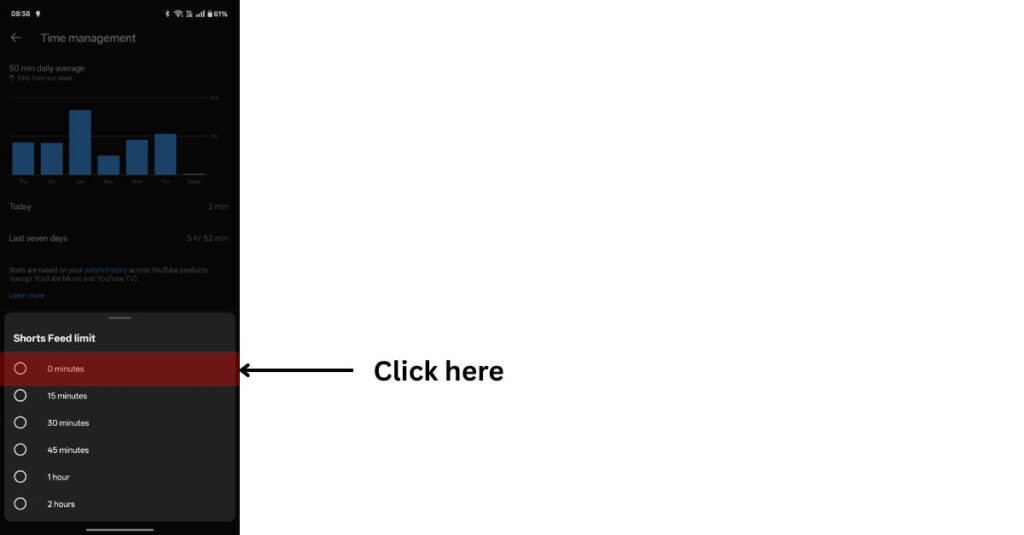
steps – check the below screenshots for references
- open the youtube app.
- tap your profile.
- go to settings.
- select time management.
- find shorts feed limit.
- turn it on and set the limit to 0 minutes.
i’ve been using this setting for the past few weeks, and the difference has been bigger than i expected.
before enabling it, i would easily spend 15–20 hours a week watching youtube shorts without even realising how much time had passed.
now, according to my screen time, i spend only 5–6 hours a week on youtube. i still watch youtube every day, but i spend that time on longer videos that i choose instead of getting stuck in the endless shorts feed.
it’s a small setting, but for me, it has made a noticeable difference.
what does this setting do?
you can still open youtube shorts if you want to, but you’ll immediately see a message saying:
“you’ve reached your shorts limit.”
this small reminder is surprisingly effective. instead of mindlessly scrolling, it nudges you to stop and switch back to watching regular youtube videos.
a small disclaimer
the feature only works if you let it.
when the message appears, don’t tap ignore limit today. just tap go to home and enjoy longer videos instead of falling into the shorts videos.
it sounds simple, but sometimes a tiny bit of friction is all you need to break the scrolling habit.
i enabled this setting a few weeks ago just to see if it would help. surprisingly, it did.